

Modeling A Wastewater Plant PowerPoint PPT Presentation
1 / 14
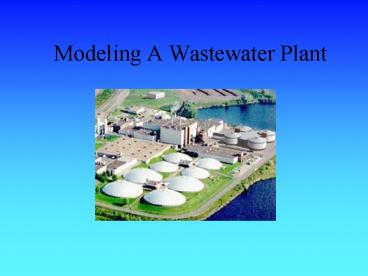
Title: Modeling A Wastewater Plant
1
Modeling A Wastewater Plant
2
The Purpose
- Where does the water you use go?
- The waste water from your shower, toilets, sinks,
etc. and the water from businesses like
restaurants must be cleaned and treated before
you can put it back into a river and lake and
reuse the water. This treatment is performed at a
wastewater or sewage plant.
3
Beginning Process
- The incoming water is first measured and and is
directed to the Metal Inlet Screen - This screen removes large solids while the water
proceeds to the Grit Channels - Here the water is run through channels allowing
the grit to
settle to the bottom
4
Primary Treatment
- The water is sent to large chambers, called
clarifiers, where the organic material settles to
the bottom of the plant - The water is now directed into aeration basins
where bacteria eat the many tiny particles
present - After a second round in the clarifiers, the water
is chemically treated with
chlorine then released
back into river or
lake.
5
Treating SLUDGE
- A by-product of the clarification process is a
clump of organic material called Sludge. - This sludge is fermented, thickened, and then
partially digested by bacteria. - After this treatment, the sludge can be used as
fertilizer or burned.
6
Creating A Model
- What are the three main portions?
- Inflow of Water
- Treatment of Water
- Treatment of Sludge
7
Creating Water Inflow Model
- Variables
- Housing Apartments, Neighborhoods, etc.
- Businesses Restaurants, Stores, etc.
- Rainfall Daily Rain or Storms
8
Basic Flow Pattern
- Decide the names of each stock
9
Decide Which Variables To Add
- Examples for the Business Stock
- What Businesses are there?
- Examples for the Housing Stock
- How many people live in the area?
- Other Variables Needed?
10
Online Research
- Go Online to find the information you need for
you model to be accurate - How many gallons per day do people use?
- How much water do restaurants use?
- What is the rainfall for your area?
11
Finish Your Water Inflow Model
- Run your Model and see if the results obtained
are reasonable
12
Creating A User Interface
- For an easier way to view data and run your
model, an Interface is necessary - At the top level you can add sliders and buttons
to simplify your model for others - Graphs can also be pinned on to this area
13
Objects in the Interface
- We will be adding several objects to our
interface - First, pin down your graph
- Second, add a run button
- Finally, create sliders for your variables
14
The Full Wastewater Model
- Now that you have created a small portion of the
wastewater model, we are going to look at a Full
model of a Wastewater Plant
Recommended

