

Robotics PowerPoint PPT Presentation
1 / 11
Title: Robotics
1
Robotics
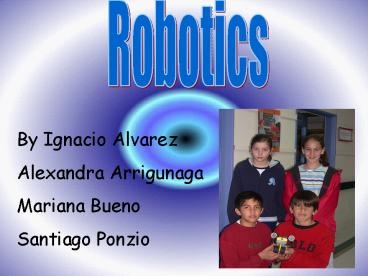
By Ignacio Alvarez Alexandra Arrigunaga Mariana
Bueno Santiago Ponzio
2
Introduction
- Welcome to the exciting world of Lego!
- Here you will learn how to build, program and be
creative using Lego Mindstorms.
3
(No Transcript)
4
(No Transcript)
5
Conclusion
- Ignacio Alvarez I learned many things about this
project but mainly I learned to work with each
other patiently and very hard constructing the
robot. - Alexandra Arrigunaga I learned to work with
different people and I liked a lot the way we
have worked. We were very patient with each
other.
Mariana Bueno I learned to work in a team and to
share the knowledge and our opinions with my team
and each other. Santiago Ponzio I learned
to be patient with my teammates and to work
really hard with the robot to make the best one.
RETURN TO MAIN MENU
6
Robot
- Our robot turns on, waits for ten seconds, beeps
once, goes reverse and beeps once. - At first we thought that to construct the robot
would be very difficult but we discovered that if
we worked as a team it was very easy.
RETURN TO MAIN MENU
7
Concepts
- Lego pieces Is the equipment to build the robot
. - RCX Is the brain of the robot that turns the
motors on and off according to the program. - Program Are the steps that you want the robot to
do.
RETURN TO MAIN MENU
8
PICTURES
9
Problems OH OHHH
- All the problems that we had where many but one
problem that mostly repeats was that when we
where almost finished the whole robot was
destroyed and we had to do it again over and
over. To reconstruct the robot was really tiring
but all the problems that we had we solved them
as a team.
10
Use of Technology
- I used Lego Mindstorms to build my robot and used
my computer to program it. - I used PowerPoint to make this presentation.
- We used Fireworks to do all the backgrounds of
the presentation.
11
Thank you we hope you like it a lot !
Recommended

