

CASE 445CT Compact Track Loader Service Repair Manual Instant Download PowerPoint PPT Presentation
Title: CASE 445CT Compact Track Loader Service Repair Manual Instant Download
1
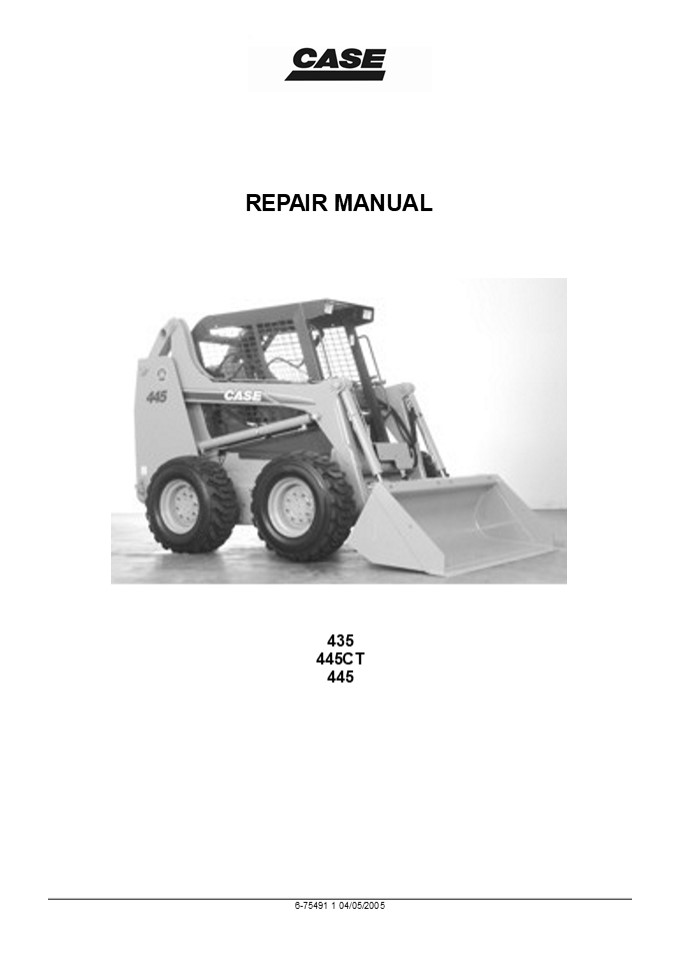
REPAIR MANUAL
435 445CT 445
6-75491 1 04/05/2005
2
Contents
INTRODUCTION
DISTRIBUTION SYSTEMS A
POWER PRODUCTION B
POWER TRAIN C
TRAVELLING D
BODY AND STRUCTURE E
WORKING ARM H
TOOLS AND COUPLERS J
6-75491 1 04/05/2005
3
INTRODUCTION
6-75491 1 04/05/2005 1
4
https//www.ebooklibonline.com Hello dear
friend! Thank you very much for reading. Enter
the link into your browser. The full manual is
available for immediate download. https//www.eb
ooklibonline.com
5
Contents INTRODUCTION
Basic instructions ( - A.90.A.05) 435, 445,
445CT Torque ( - A.90.A.10) 435, 445 Consumables
( - A.92.A.55) 435, 445, 445CT Conversion factors
( - A.92.A.21) 435, 445, 445CT
3
7
11
15
6
INTRODUCTION Basic instructions ( -
A.90.A.05) 435, 445, 445CT Technical
Information This manual has been produced by a
new technical information system. This new system
is designed to deliver technical information
electronically through CDROM and in paper
manuals. A coding system called ICE has been
developed to link the technical information to
other Product Support functions e.g.
Warranty. Technical information is written to
support the maintenance and service of the
functions or systems on a customers machine.
When a customer has a concern on his machine it
is usually because a function or system on his
machine is not working at all, is not working
efficiently, or is not responding correctly to
his commands. When you refer to the technical
information in this manual to resolve that
customers concern, you will find all the
information classified using the new ICE coding,
according to the functions or systems on that
machine. Once you have located the technical
information for that function or system then you
will find all the mechanical, electrical or
hydraulic devices, components, assemblies and
sub-assemblies for that function or system. You
will also find all the types of information that
have been written for that function or system,
the technical data (specifications), the
functional data (how it works), the diagnostic
data (fault codes and troubleshooting) and the
service data (remove, install adjust, etc.). By
integrating this new ICE coding into technical
information , you will be able to search and
retrieve just the right piece of technical
information you need to resolve that customers
concern on his machine. This is made possible by
attaching 3 categories to each piece of technical
information during the authoring process. The
first category is the Location, the second
category is the Information Type and the third
category is the Product
LOCATION - is the component or function on the
machine, that the piece of technical information
is going to describe e.g. Fuel tank. INFORMATION
TYPE - is the piece of technical information that
has been written for a particular component or
function on the machine e.g. Capacity would be a
type of Technical Data that would describe the
amount of fuel held by the Fuel tank. PRODUCT -
is the model that the piece of technical
information is written for.
Every piece of technical information will have
those 3 categories attached to it. You will be
able to use any combination of those categories
to find the right piece of technical information
you need to resolve that customers concern on
his machine. That information could be
the description of how to remove the cylinder
head a table of specifications for a hydraulic
pump a fault code a troubleshooting table a
special tool
How to Use this Manual This manual is divided
into Sections. Each Section is then divided into
Chapters. Contents pages are included at the
beginning of the manual, then inside every
Section and inside every Chapter. An alphabetical
Index is included at the end of a Chapter. Page
number references are included for every piece of
technical information listed in the Chapter
Contents or Chapter Index. Each Chapter is
divided into four Information types
Technical Data (specifications) for all the
mechanical, electrical or hydraulic devices,
components and, assemblies. Functional Data (how
it works) for all the mechanical, electrical or
hydraulic devices, components and
assemblies. Diagnostic Data (fault codes,
electrical and hydraulic troubleshooting) for all
the mechanical, electrical or hydraulic devices,
components and assemblies.
7
INTRODUCTION
Service data (remove disassembly, assemble,
install) for all the mechanical, electrical or
hydraulic devices, components and assemblies.
Sections Sections are grouped according to the
main functions or a systems on the machine. Each
Section is identified by a letter A, B, C etc.
The amount of Sections included in the manual
will depend on the type and function of the
machine that the manual is written for. Each
Section has a Contents page listed in
alphabetic/numeric order. This table illustrates
which Sections could be included in a manual for
a particular product.
SECTION SECTION SECTION SECTION SECTION SECTION SECTION SECTION SECTION SECTION SECTION SECTION
A - Distribution Systems A - Distribution Systems A - Distribution Systems A - Distribution Systems A - Distribution Systems A - Distribution Systems A - Distribution Systems A - Distribution Systems A - Distribution Systems A - Distribution Systems A - Distribution Systems A - Distribution Systems
B - Power Production B - Power Production B - Power Production B - Power Production B - Power Production B - Power Production B - Power Production B - Power Production B - Power Production B - Power Production B - Power Production
C - Power Train C - Power Train C - Power Train C - Power Train C - Power Train C - Power Train C - Power Train C - Power Train C - Power Train C - Power Train
D - Travelling D - Travelling D - Travelling D - Travelling D - Travelling D - Travelling D - Travelling D - Travelling D - Travelling
E - Body and Structure E - Body and Structure E - Body and Structure E - Body and Structure E - Body and Structure E - Body and Structure E - Body and Structure E - Body and Structure
F - Frame Positioning F - Frame Positioning F - Frame Positioning F - Frame Positioning F - Frame Positioning F - Frame Positioning F - Frame Positioning
G - Tool Positioning G - Tool Positioning G - Tool Positioning G - Tool Positioning G - Tool Positioning G - Tool Positioning
H - Working Arm H - Working Arm H - Working Arm H - Working Arm H - Working Arm
J - Tools and Couplers J - Tools and Couplers J - Tools and Couplers J - Tools and Couplers
K - Crop Processing K - Crop Processing K - Crop Processing
L - Field Processing L - Field Processing
PRODUCT
Tractors X X X X X X X X
Vehicles with working arms backhoes, excavators, skid steers, ..... X X X X X X X X X
Combines, forage harvesters, balers, .... X X X X X X X X X X
Seeding, planting, floating, spraying equipment, .... X X X X X X X X X
Mounted equipment and tools, ..... X X X X
Chapters Each Chapter is identified by a letter
and number combination e.g. Engine B.10.A The
first letter is identical to the Section letter
i.e. Chapter B.10 is inside Section B, Power
Production. CONTENTS The Chapter Contents lists
all the technical data (specifications),
functional data (how it works), service data
(remove, install adjust, etc..) and diagnostic
data (fault codes and troubleshooting) that have
been written in that Chapter for that function
or system on the machine. Contents POWER
PRODUCTION ENGINE _ 10.A
TECHNICAL DATA ENGINE - General specification
(B.10.A - D.40.A.10) FUNCTIONAL DATA
3
ENGINE - Dynamic description (B.10.A - C.30.A.10)
SERVICE ENGINE - Remove (B.10.A - F.10.A.10)
DIAGNOSTIC ENGINE - Troubleshooting (B.10.A -
G.40.A.10)
4
5
6
INDEX The Chapter Index lists in alphabetical
order all the types of information (called
Information Units) that have been written in
that Chapter for that function or system on the
machine.
8
INTRODUCTION
Index
POWER PRODUCTION - B ENGINE
ENGINE - Dynamic description (B.10.A - C.30.A.10) 4
ENGINE - General specification (B.10.A - D.40.A.10) 3
ENGINE - Remove (B.10.A - F.10.A.10) 5
ENGINE - Troubleshooting (B.10.A - G.40.A.10) 6
Information Units and Information Search Each
chapter is composed of information units. Each
information unit has the ICE code shown in
parentheses which indicates the function and the
type of information written in that information
unit. Each information unit has a page reference
within that Chapter. The information units
provide a quick and easy way to find just the
right piece of technical information you are
looking for.
example information unit Information Unit ICE
code ICE code classification
Stack valve - Sectional View (A.10.A.18 -
C.10.A.30)
A Distribution systems
10.A Primary hydraulic power
18 C 10.A.30 Stack valve Functional Sectional
view data
CRIL03J033E01 1
Navigate to the correct information unit you are
searching for by identifying the function and
information type from the ICE code.
- Function and (2) Information type.
- corresponds to the sections of the repair manual.
- corresponds to the chapters of the repair manual.
- corresponds to the type of information listed in
the chapter contents, Technical data, Functional
Data, Diagnostic or Service. - (A) and (B) are also shown in the page numbering
on the page footer. - THE REST OF THE CODING IS NOT LISTED IN
ALPHA-NUMERIC ORDER IN THIS MANUAL. - You will find a table of contents at the
beginning and end of each section and chapter.
You will find an alphabetical index at the end of
each chapter. - By referring to (A), (B) and (C) of the coding,
you can follow the contents or index (page
numbers) and quickly - find the information you are looking for.
9
INTRODUCTION Page Header and Footer The page
header will contain the following references
Section and Chapter description
The page footer will contain the following
references
Publication number for that Manual, Section or
Chapter. Version reference for that
publication. Publication date Section, chapter
and page reference e.g. A.10.A / 9
10
- DISTRIBUTION SYSTEMS - PRIMARY HYDRAULIC POWER
SYSTEM - Hydraulic pump - Flow test (A.10.A.20 -
F.40.A.45) - 435, 445, 445CT
- WARNING
- CSM118 - Two persons are required to perform the
flowmeter tests for safety to avoid possible
injury. One person must be seated in the
operators seat with the Seat Bar down when the
engine is running. The second person is to
control the flowmeter and take the readings. - Park the machine on a level surface. Lower the
loader bucket to the floor. Stop the engine. - Disconnect the hose from the pump pressure port
at Test Point 1 . Install a plug in the hose.
Connect the flowmeter inlet hose to the fitting
at the pressure port of the pump. - Put the flowmeter outlet hose into the hydraulic
reservoir. Use wire to fasten the flowmeter
outlet hose below the surface of the hydraulic
oil. - Make sure that the oil level in the hydraulic
reservoir is correct. - Make sure that the pressure valve of the
flowmeter is opened completely. - The oil must be at operating temperature. If the
oil is not at operating temperature, run the
engine at full throttle and close the pressure
valve of the - flowmeter until the pressure gauge indicates 103
bar (1500 psi). Continue to run the engine at
full throttle until the temperature of the oil
is 52C (125F). Then open the pressure valve
completely. - Make sure that the pressure valve is opened
completely. Adjust the engine speed to 2300 r/min
(rpm) and read the flow gauge. Read the flow and
record the reading as test number 1 . - Slowly close the pressure valve on the flowmeter
until the pressure gauge indicates 97 bar (1400
psi). Keep the engine running at 2300 r/min
(rpm). Read the flow and record the reading as
test number 2 . - Slowly close the pressure valve on the flowmeter
until the pressure gauge indicates 124 bar (1800
psi). Keep the engine running at 2300 r/min
(rpm). Read the flow and record the reading as
test number 3. - Slowly close the pressure valve on the flowmeter
until the pressure gauge indicates 152 bar (2000
psi). Keep the engine running at 2300 r/min
(rpm). Read the flow and record the reading as
test number 4.
11
- DISTRIBUTION SYSTEMS - PRIMARY HYDRAULIC POWER
SYSTEM - If the output at minimum pressure was less than
the specification for Gear Pump Flow to Loader
(Machine in Neutral) refer to Hydraulic pump -
General specification (A.10.A.20 - D.40.A.10),
the problem can be a restriction between the
reservoir and the gear pump, or the problem can
be a badly worn or damaged gear pump. - If the output at minimum pressure was more than
the specification refer to Hydraulic pump -
General specification (A.10.A.20 - D.40.A.10),
there are no problems between the reservoir and
the gear pump. However, the gear pump can be
worn or damaged and still have good flow at
minimum pressure. - Loss of output at 152 bar (2200 psi) indicates
that the gear pump is worn or damaged. To
determine the efficiency of the gear pump,
divide the flow indication from test number 4 by
the flow indication from test number 1. This
answer multiplied by 100 is the percent
efficiency of the gear pump. If the efficiency
of the gear pump is less than 75, repair or
replace the gear pump. If the efficiency of the
gear pump is more than 75, the pump is good.
12
DISTRIBUTION SYSTEMS - PRIMARY HYDRAULIC POWER
SYSTEM Hydraulic pump - Remove (A.10.A.20 -
F.10.A.10) 435, 445, 445CT 1. Loosen and remove
the mounting bolts and washers for the floor
plate and the cover. Remove the floor plate and
the cover to gain access to the hydraulic pump.
BD04C141x 1
- Place a shop towel under the gear pump.
- Remove the cap from the hydraulic reservoir.
- CAS1871
- Connect a vacuum pump to the hydraulic reservoir.
- CAS10192
- Reservoir - Apply vacuum (A.10.A.22 - F.35.A.50)
- Start the vacuum pump.
- Tag and disconnect the hose from the fitting at
the suction port of the gear pump.
BD04C141x 2
- Install a plug in the hose and a cap on the
fitting. - Tag and disconnect the hose from the fitting at
the pressure port of the gear pump. - Install a plug in the hose and a cap on the
fitting. - Stop the vacuum pump.
13
DISTRIBUTION SYSTEMS - PRIMARY HYDRAULIC POWER
SYSTEM 11. Loosen and remove the pump mounting
bolts and washers.
BD04C141x 3
12. Remove the gear pump from the hydrostatic
pump mounting location.
14
DISTRIBUTION SYSTEMS - PRIMARY HYDRAULIC POWER
SYSTEM Hydraulic pump - Disassemble (A.10.A.20 -
F.10.A.25) 435, 445, 445CT 1. Draw alignment
marks on the housing with a white marker. These
marks will be referenced during assembly.
GD98J801 1
2. Loosen and remove the socket bolts and washers.
GD98J802 2
3. Remove the cover.
GD98J803 3
15
DISTRIBUTION SYSTEMS - PRIMARY HYDRAULIC POWER
SYSTEM 4. Remove the gear plate.
GD98J804 4
5. Remove the dowel pins.
GD98J805_2 5
6. Rotate the gear teeth until one gear tooth is
centered inside two gear teeth. Draw a mark with
a white marker. This mark will be referenced
during assembly.
GD98J806 6
16
DISTRIBUTION SYSTEMS - PRIMARY HYDRAULIC POWER
SYSTEM 7. Remove the drive shaft.
GD98J807 7
8. Remove the idler shaft.
GD98J808 8
9. Remove the wear plate from the cover.
GD98J809 9
17
DISTRIBUTION SYSTEMS - PRIMARY HYDRAULIC POWER
SYSTEM 10. Remove the wear plate from the body.
GD98J810 10
11. Remove and discard the seal ring from the
cover.
GD98J811_2 11
12. Remove and discard the seal ring from the
body.
GD98J812_2 12
18
DISTRIBUTION SYSTEMS - PRIMARY HYDRAULIC POWER
SYSTEM 13. Remove and discard the top seal from
the body.
GD98J813 13
14. Remove and discard the bottom seal from the
body.
GD98J814 14
19
DISTRIBUTION SYSTEMS - PRIMARY HYDRAULIC POWER
SYSTEM Hydraulic pump - Visual inspection
(A.10.A.20 - F.40.A.10) 435, 445,
445CT 1. Inspect the brass surfaces of the wear
plates.
GD98J815 1
2. Inspect the drive and idler shafts for damage.
GD98J816 2
3. Inspect the bearing sleeves of the drive and
idler shafts in the body and cover.
GD98J817_2 3
20
DISTRIBUTION SYSTEMS - PRIMARY HYDRAULIC POWER
SYSTEM 4. Inspect the body and cover surfaces.
GD98J818_2 4
21
DISTRIBUTION SYSTEMS - PRIMARY HYDRAULIC POWER
SYSTEM Hydraulic pump - Assemble (A.10.A.20 -
F.10.A.20) 435, 445, 445CT 1. Lubricate and
insert the bottom seal into the groove of the
body.
GD98J814 1
2. Lubricate and insert the top seal into the
groove of the body. NOTE The top seal will be
placed on top of the bottom seal.
GD98J813 2
3. Lubricate and insert a new seal ring into the
groove of the body.
GD98J812_2 3
22
DISTRIBUTION SYSTEMS - PRIMARY HYDRAULIC POWER
SYSTEM 4. Lubricate and insert a new seal ring
into the groove of the cover.
GD98J811_2 4
5. Place the wear plate on top of the new seals
on the body.
GD98J810 5
6. Place the wear plate on top of the new seal on
the cover.
GD98J809 6
23
DISTRIBUTION SYSTEMS - PRIMARY HYDRAULIC POWER
SYSTEM 7. Insert the idler shaft through the
wear plate, and into the housing.
GD98J808 7
8. Insert the drive shaft through the wear plate,
and into the housing.
GD98J807 8
9. During the gear pump disassembly, the gear
teeth were aligned and then marked. Please refer
to Hydraulic pump - Disassemble (A.10.A.20 -
F.10.A.25). Ensure that the meshed teeth marks,
on the drive shaft and the idler shaft, are
properly aligned.
GD98J806 9
24
DISTRIBUTION SYSTEMS - PRIMARY HYDRAULIC POWER
SYSTEM 10. Insert the guide dowels into the
housing.
GD98J805_2 10
11. Align and slide the gear plate down the
shafts and guide dowels until it is snug against
the body.
GD98J804 11
12. During the gear pump disassembly, alignment
marks were placed on the housing for the body
and cover. Please refer to Hydraulic pump -
Disassemble (A.10.A.20 - F.10.A.25). Align and
place the cover on top of the body
GD98J803 12
25
DISTRIBUTION SYSTEMS - PRIMARY HYDRAULIC POWER
SYSTEM 13. Secure the cover on top of the body
with washers and socket bolts. Tighten the
socket bolts. Do not overtighten.
GD98J802 13
26
- DISTRIBUTION SYSTEMS - PRIMARY HYDRAULIC POWER
SYSTEM - Hydraulic pump - Install (A.10.A.20 - F.10.A.15)
- 435, 445, 445CT
- Prior operation Before pump installation, apply
Molykote G-4700 (P/N 86983138) to the pump and
the coupling splines. Pre-fill the pump with
clean hydraulic oil. Inspect O-ring on the pump
pilot and replace if necessary. - Lubricate the O-ring with clean hydraulic oil.
- Hold the pump in the mounting location. Rotate
the gear pump shaft until it aligns with the
coupling - splines at the rear of the hydrostatic pump.
After the splines are aligned, move the pump
inward until the - mounting flange is flush with the mounting
surface - of the hydrostatic pump.
- Apply Loctite 243 to the pump mounting bolts.
Install washers on the bolts and install the
bolts into the pump mounting flange. Tighten the
mounting bolts. - Reservoir - Apply vacuum (A.10.A.22 - F.35.A.50)
- Start the vacuum pump.
- Remove the cap from the fitting and the plug from
the pressure hose. - Connect the hose to the pressure port fitting of
the pump and tighten the fitting. - Remove the cap from the fitting and the plug from
the suction hose. - Connect the hose to the suction port fitting of
the pump and tighten the hose clamp.
BD04C141x 1
8. Stop the vacuum pump. Disconnect the vacuum
pump from the hydraulic reservoir and install the
reservoir cap on the reservoir filler neck.
27
Suggest If the above button click is invalid.
Please download this document first, and then
click the above link to download the complete
manual. Thank you so much for reading
28
DISTRIBUTION SYSTEMS - PRIMARY HYDRAULIC POWER
SYSTEM 9. Loosen the clamp on the suction hose
fitting at the hydraulic pump until hydraulic
oil begins to flow from around the fitting.
Retighten the clamp.
BD04C141x 2
- Clean up any hydraulic oil from the equipment and
- floor.
- Disconnect the fuel shutoff solenoid connector.
(Photo is for reference only.)
bd04c019 3
- Turn the engine over for 30 seconds to allow
hydraulic oil from the reservoir to flow into the
hydraulic pump. Reconnect the fuel shutoff
solenoid connector. - Start and run the engine at low idle for 2 to 5
minutes and check for any leaks. - Stop the engine.
- Check the hydraulic oil level in the reservoir
and add hydraulic oil as required. Reservoir -
Filling (A.10.A.22 - F.60.A.10)
BD04C142 4
1 04/05/2005 A.10.A / 47
29
https//www.ebooklibonline.com Hello dear
friend! Thank you very much for reading. Enter
the link into your browser. The full manual is
available for immediate download. https//www.eb
ooklibonline.com
Recommended

