

Pros & Cons of Using Shopify for eCommerce Stores PowerPoint PPT Presentation
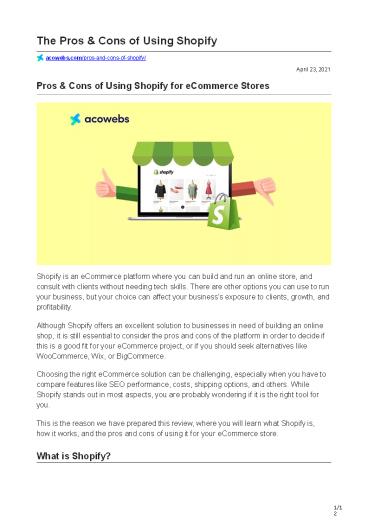
Title: Pros & Cons of Using Shopify for eCommerce Stores
1
The Pros Cons of Using Shopify
acowebs.com/pros-and-cons-of-shopify/
April 23, 2021
Pros Cons of Using Shopify for eCommerce Stores
Shopify is an eCommerce platform where you can
build and run an online store, and consult with
clients without needing tech skills. There are
other options you can use to run your business,
but your choice can affect your businesss
exposure to clients, growth, and
profitability. Although Shopify offers an
excellent solution to businesses in need of
building an online shop, it is still essential
to consider the pros and cons of the platform in
order to decide if this is a good fit for your
eCommerce project, or if you should seek
alternatives like WooCommerce, Wix, or
BigCommerce. Choosing the right eCommerce
solution can be challenging, especially when you
have to compare features like SEO performance,
costs, shipping options, and others. While
Shopify stands out in most aspects, you are
probably wondering if it is the right tool for
you. This is the reason we have prepared this
review, where you will learn what Shopify is,
how it works, and the pros and cons of using it
for your eCommerce store. What is Shopify?
2
Shopify is a hosted online platform with
comprehensive solutions for setting up your
online business and selling products worldwide.
The solution comes with m ultiple packages,
which will relieve you from the hustle of having
to do the business setup yourself. Shopify also
has a Buy Button, a feature that customers can
use to purchase products on other online and
offline platforms, such as Facebook, Pinterest,
Tumblr, trade shows, etc. You can get the button
as part of the S hopify Lite Plan. And if you
are wondering if Shopify is legit, you need not
worry because it is a publicly- listed company
with top-notch security apparatus. Still, you
should be aware of all manner of issues facing
eCommerce businesses today, such as chargebacks
and fraudsters. You will also need to work on
your online store to realize the success other
businesses have derived from using Shopify, and
keep off the get-rich-quick scams crawling the
online space. It is a safe and legit solution
for building and running your eCommerce business,
and it will make the process much easier for
you. How Shopify works
3
- Shopify Plans Pricing Image Credit S
hopify.com - It is quite easy to use Shopify. Here is how
- Choose a S hopify plan according to your budget
and the features needed. There are 3 major
plans, with the cheapest being Basic Shopify,
which goes for - 29/month. Its Lite and Enterprise Plans are
ideal for very large stores. You can also start
with a 14-day free trial to assess it. - Link your business domain to your Shopify store.
You can get a business domain from sellers like
Bluehost, Namecheap, GoDaddy, etc. - Pick a design or template for your eCommerce
store. Shopifys drag and drop tool comes with
free designs, which you can edit. You can also
buy one from - a d esigner.
- Add your eCommerce page content, products,
payment options, shipping labels, etc. - Market and get customers!
- By now you know what Shopify is and how to use
the tool, but you still need to get more ideas
about the platform to decide if it is worth
pursuing given your resources and objectives. - Pros of using Shopify for eCommerce stores
- 1. Ease of use
4
Shopify Support/Tutorials Image Credit S
hopify Help Center Shopify is both an
easy-to-use and powerful tool, enabling you to
create and launch your eCommerce store within
days. If you are seeking to install customized
solutions to meet your needs, then the process
can go for weeks. Even so, Shopify has in-built
features that you can click and build your online
store more easily than you would if you were
using BigCommerce or Volusion. It is also easy
to navigate the backend processes, and if stuck,
you can get more information from tutorials or
from the support team, via live chat. With
Shopify, youre assured of fast, correct, and
helpful responses to your questions, both from
the perspective of a developer and store
owner. The wide database of FAQs and other forms
of support gives you the confidence to run your
eCommerce store without having to lose more money
seeking advice elsewhere. 2. Design
5
Shopify Themes Image Credit S
hopify.com Shopify comes with h igh-quality
designs, with responsive, mobile-friendly
features. There are approximately 170 free themes
to choose from, and you can still create themes
of your choice using the Liquid template
engine. The themes are compatible with
smartphones and tablets, and you can select from
a wide range of categories, including
electronics, fashion, art, food, etc. You can
also buy more custom-built themes from S hopify
Marketplace for you Dropshipping Business. If
you have a web designer or developer, they can
use the free customizable themes to create your
desired eCommerce store. Startups can leverage
the free themes and drag and drop with white
space features with vibrant color features and
upgrade as the need arises for Shopify
store. 3. Plugins It is impractical for one
platform to hold all the features businesses
would need to build their eCommerce stores. To
meet the diverse needs of the platforms users,
Shopify comes with multiple built-in tools
capabilities. The platform has core features for
store development, and allows designers and
developers to use third-party products that
integrate easily with Shopify. Such features
include paid and free themes with advanced
capabilities for the functionality of your
eCommerce store. Shopifys App Store also holds
core features from Facebook, Apple, and Android,
enabling store owners to choose from a wide
variety of free and paid themes, including sales
features, social media integration, and
dropshipping apps among others.
6
This capability enables marketers to choose and
buy the right solutions, such as apps and e mail
marketing and CRM functionalities,
conveniently. Shopifys business development
team has enhanced the platforms capabilities to
craft new solutions for users, making the space
an ideal option for your eCommerce needs. 4.
Built-in hosting speed security
Shopify Page Speed Image Credit W
ebsiteToolTester.com When youre running an
eCommerce store, speed is of the essence to
ensure you meet your customers needs as and
when needed. Indeed, r esearch shows that the
ideal page-loading time should be 1-2 seconds
for mobile sites, with 53 of mobile site traffic
being abandoned if the website takes more than 3
seconds to load. You will also be risking a high
abandonment rate at the checkout process if your
eCommerce site is slow. For every extra second a
site visitor waits for your page to load, the
more the tendency to leave for your
competition. A major advantage of using Shopify
Store for your eCommerce store is that it helps
you mitigate such risks because the platform
comes with Accelerated Mobile Pages (AMP) for
speed enhancement, enabling eCommerce sites to
deliver content fast to mobile shoppers. T ests
were done on the performance of Shopify templates
also indicate that an online store using Shopify
tools would achieve an average speed-test score
of 86 (for desktop), which is higher than the
desirable minimum rating of 83. Remember you
also need to keep your customers credit card
details secure by installing multiple layers of
security. However, Shopify lightens this burden
by enabling eCommerce store owners to outsource
payments to third-party providers, such as Google
Wallet or
7
PayPal. This way, the service providers can take
care of card security compliance, caching,
hackers, and other payment-related
issues. Shopifys platform also runs on P CI
compliant servers, enabling merchants to accept
credit card payments. The Secure Sockets Layer
(SSL) encryption is enabled on all Shopify
stores to secure visitors data, while the backup
system enables you to store and save your data
regularly by exporting it to C SV files. If this
process appears tedious, you can always backup
your data using a more advanced solution, such
as the Rewind app, available on Shopify App
store. Additionally, given Shopifys reputation
and ability to fund the acquisition
and maintenance of software and security
engineering systems, the company can afford to
pay r esearchers to test the security and
stability of their systems, making the platform
secure to eCommerce owners. In addition to
integrating payment solutions with third parties,
Shopifys all-in-one eCommerce solution offers
up-to-date features for easy and prompt command
execution. 5. Marketing Search Engine
Optimization (SEO)
Shopifys Customizable SEO Parameters Image
Credit W ebsiteToolTester.com If you are
running marketing campaigns like Facebook Ads,
Google Ads, and email marketing, you can easily
create landing pages on Shopify. The platform
also enables users to create discount codes for
product on sale, but for more advanced marketing
tools, you should use Shopifys App Marketplace.
8
With Shopify, you can also edit and customize web
content features with ease, such as title tags,
image alt text, descriptions, etc. The redirect
system also enables you to automatically redirect
old URL links to new ones, without creating
error 404 for your content page. For content
creation, you can add relevant keywords to your
web pages, and product descriptions. The
front-end code editor enables you to employ more
technical features, while aspects like SSL,
Sitemaps, and Schema, are already done for you,
allowing you to concentrate on content creation
and marketing. Shopify also has a blog category
for content marketing. The blog feature is
fully integrated with your eCommerce site, has
easy-to-set tags, can have multiple authors, and
allows for customizable SEO parameters. Therefore
, the platform is an ideal solution for eCommerce
store owners seeking a combination of
easy-to-use and customizable marketing and SEO
tools. Cons of using Shopify for eCommerce
stores While Shopify appears like a perfect
solution for business owners seeking to set up
and run eCommerce stores, the platform still has
its downside. Lets look at the 5 cons of using
the platform 1. Pricing
Shopify Pricing Plans Image Credit S hopify.com
9
Shopify performs better than the competition in
terms of pricing transparency and value for
money. Notably, Shopify has since scrapped off
platform transaction fees, which used to be a
percentage of sales. Additionally, the platform
has its own processing network and point of sale
(POS) framework, eliminating the need to use a
third-party processor, which would cost you
credit card fees. However, the
zero-transaction-fee only applies to a few
countries, causing stores in many jurisdictions
to use third-party payment platforms, such as
PayPal and Amazon Pay. Such alternatives cost
eCommerce store owners 0.5-2 in single
transaction fees. You should also be aware of
the monthly subscription fees, and how they
affect your bottom line. The c heapest/basic
package costs 29/month, yet a growing business
with 1 retail store is recommended to use the
79/month plan, which has added benefits of 5
staff accounts, up to 5 locations, professional
reports, and international domains and pricing,
features missing in the basic plan. If you run a
growing business with 2 or more retail stores,
you will be forced to part with 299/ month to
gain from additional features like 15 staff
accounts, up to 8 locations, and international
pricing (individual product prices for regions of
coverage). In addition, packages like Shopify
Lite come at an additional cost of 9/month,
enabling you to add your products to any blog or
website, and accept payments via credit
cards. Therefore, the cheapest way to operate
smoothly is by using the basic plan plus Shopify
Lite. Large businesses with high-volume sales are
forced to pay for more expensive packages plus
the Shopify Plus plan for enterprise-grade
solutions. Remember, you may also need to pay
for themes and plugins available on Shopify App
store or those offered by third-parties, to
improve the functionalities and visibility of
your eCommerce store. When summed-up, these
costs can affect your profitability, especially
if youre a start-up. While the cost for themes
and plugins is mostly one-off, you still need to
budget for these costs, plus the monthly plans
and transaction fees to ensure youre within your
budget. 2. Customization
10
Another disadvantage of using Shopify for your
eCommerce store is that the platforms themes
are customized using the Shopify Liquid setup,
which may be too technical for non-experienced
developers. Many web designers and developers
are familiar with PHP for theme- and template-
customization, which is a technique employed by
WordPress. However, first-timers may have
difficulties using Shopifys customization
tools. Even so, developers can gain from the
wide variety of support tools available on
Shopify forums. 3. Content marketing Shopify
enables you to run a blog and optimize it for
SEO, boost o rganic traffic, create social media
integrations, and enhance brand
visibility. However, the built-in blogging
software is not as user-friendly as the
functionalities provided by WordPress. Indeed,
there are areas Shopify could improve regarding
the blog and content generation feature. Such
include The editor feels outdated and lacks
useful elements like galleries The blog layouts
are inflexible Users must use tags because there
are no categories One cannot add related
posts You cannot embed product in blogs You can
add some of the missing features by installing
relevant apps from Shopify App store, and you
can still use your blog as a subdomain operating
on an external platform. However, such
extensions come with their own challenges,
creating problems for Shopify
11
eCommerce store owners that desire to maximize
the space for content marketing. 4. Advanced Vs.
Basic plans
Shopifys Reporting Analytics for different
plans Image Credit W ebsiteToolTester.com Shop
ifys coolest features are limited to the more
advanced plans hence, if you need access
functionalities like third-party s hipping rates
and advanced report builder, you will have to
part with more money. For instance, if you are
on a Basic plan, you cannot access sales reports,
retail sales reports, profit reports, customers
reports, and custom reports. Instead, you would
have to pay for the Shopify plan, which goes for
79/month or the Advanced plan whose cost
is 299/month. Still, you cannot use the custom
reports feature unless you are under the advanced
plan. Ideally, these are basic features, which
any eCommerce store owner should access, making
Shopifys model a bit limiting. 5. Inflexible
exit strategy Like every other hosted eCommerce
solution like Volusion and BigCommerce, Shopify
has a lock-in feature, which limits your ability
to migrate your store to another platform. In
the event you have to close your eCommerce store
for any given reason, then Shopify will not make
it easy for you to move on. The only asset or
item you can leave with is a CSV report
containing your product information. Therefore,
if you are thinking long-term, you need to
consider the many benefits that Shopify has to
offer, versus your exit strategy.
12
Conclusion In this review, we have analyzed the
pros and cons of using Shopify for eCommerce
stores. Shopify is a hosted online platform with
comprehensive solutions for setting up an online
business journey and selling products
worldwide. It is easy to set up your eCommerce
outlet on the platform by, (a) selecting the plan
and pricing that works for you, (b) linking your
business domain to your Shopify store, (c)
selecting a design or template for the store, (d)
adding your eCommerce page content, and (e)
marketing your products to customers. Some of
the benefits of using Shopify include the
ease-of-use, responsive and user- friendly
designs, built-in plugins, and reliable in-house
hosting speed and security. However, you need to
consider the downside of using Shopify, such as
pricing for the platforms plans, customization
challenges, limiting content marketing features
and reports and analytics for basic plans, and
the inflexible exit strategy.
Recommended

