

How to Pick the Right Motherboard for your PC: Complete Guide PowerPoint PPT Presentation
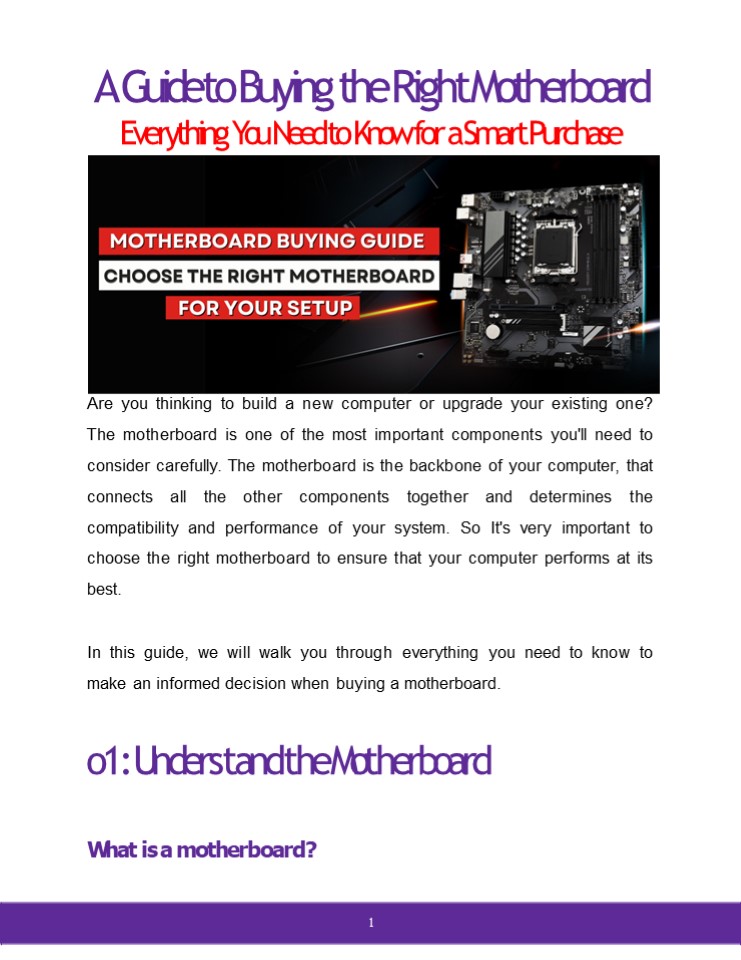
Title: How to Pick the Right Motherboard for your PC: Complete Guide
1
A Guide to Buying the Right Motherboard
Everything You Need to Know for a Smart Purchase
Are you thinking to build a new computer or
upgrade your existing one? The motherboard is
one of the most important components you'll need
to consider carefully. The motherboard is the
backbone of your computer, that connects all the
other components together and determines the
compatibility and performance of your system. So
It's very important to choose the right
motherboard to ensure that your computer performs
at its best. In this guide, we will walk you
through everything you need to know to make an
informed decision when buying a motherboard.
o1 Understand the Motherboard
What is a motherboard?
1
2
A motherboard is a printed circuit board (PCB)
that connects all the other components of a
computer system. As its name indicates, this
board is usually referred to as the "mother" of
all components attached to it, which include CPU,
RAM, graphics card, storage devices, interface
cards, video cards, sound cards, network cards,
many other custom components. The motherboard
is responsible for communicating between these
components, allowing them to work together
seamlessly. Importance of the motherboard in a
computer system The motherboard is a crucial
component in a computer system, functioning as
the central nervous system that integrates
connects all essential hardware components. It
provides the electrical connections to system
components to communicate work together. The
compatibility of all the other components depends
on Motherboard. It decides the type of CPU that
can be used, the type and speed of RAM, the
number of expansion slots available, and the type
of storage devices that can be
connected. Components and features of a
motherboard The motherboard contains several
components and features that are essential for
the proper functioning of a computer system.
3
- Here are the primary components and features you'l
l typically find on a motherboard - Here are the primary components and features
you'll typically find on a motherboard - Certainly!
- CPU Socket The CPU socket, also known as the CPU
slot, is where the central processing unit (CPU)
is installed and securely connected. It
facilitates communication between the CPU and
the rest of the system, allowing for data
processing and control. - RAM Slots These slots are designed to
accommodate memory modules. The memory slots
determine the type, speed, and maximum capacity
of RAM your system can support. The number of
RAM slots varies depending on the motherboard
model. - Expansion Slots These are slots where expansion
cards such as graphics card, sound cards, and
network cards can be installed to add extra
functionality to the system. - Chipset The chipset encompasses a set of
integrated circuits that facilitate
communication and coordination between various
hardware components. It includes the Northbridge
and Southbridge chips, which work in tandem to
4
- manage data flow and control functions such as
memory access, I/O operations, and peripheral
connectivity. - BIOS/UEFI The BIOS (Basic Input/Output System)
or UEFI (Unified Extensible Firmware Interface)
is firmware that initializes the system during
the boot process. It provides a basic set of
instructions to initialize the hardware, detect
peripherals, and load the operating system. - Storage Interfaces These interfaces enable the
connection of storage devices to the
motherboard. Common examples include SATA (Serial
ATA) ports and M.2 slots, which allow for the
attachment of hard disk drives (HDDs),
solid-state drives (SSDs), and optical drives. - Power Connectors Power connectors provide power
to the motherboard and other components of the
system.
- Input/Output (I/O) Ports I/O ports are used to
connect external devices to the motherboard.
These include USB ports for peripherals like
keyboards, mice, and printers, Ethernet ports
for network connectivity, audio jacks for
speakers and microphones, HDMI/DisplayPort
connectors for video output, and legacy ports
like PS/2 for older keyboards and mice. - Onboard Graphics Some motherboards come with
integrated graphics processors built into the
motherboard itself. These allow for basic display
output without the need for a dedicated graphics
card. However, for more demanding
5
- graphics-intensive tasks such as gaming or
graphic design, a separate graphics card is
recommended. - Audio and Networking Many motherboards feature
onboard audio controllers for high-quality sound
output and input. Additionally, onboard network
controllers provide Ethernet connectivity for
seamless networking capabilities. - Cooling Solutions To prevent overheating,
motherboards often include various cooling
solutions. These can include heatsinks, heat
pipes, and fan headers to dissipate heat
generated by the CPU and other components,
ensuring stable operation and longevity. - It's important to note that the specific
components and features can vary among
motherboard models and manufacturers. These
variances cater to different system
requirements, such as gaming, multimedia, or
professional applications.
Motherboard Form factors ATX, Micro-ATX, and
Mini-ITX Motherboard form factors refer to the
size and shape of a motherboard, which
determines its compatibility with computer cases
and other components. Three common motherboard
form factors are ATX, Micro-ATX, and
Mini-ITX. ATX (Advanced Technology eXtended) is
desktop computers' most common form factor. It
measures 12 x 9.6 inches and features multiple
6
- expansion slots, such as PCI Express and PCI
slots, allowing for the installation of multiple
expansion cards. - ATX motherboards have 2-8 RAM slots and multiple
SATA connectors for storage devices. - When should you purchase an ATX motherboard?
- When you require ample expansion slots and
customization options. - Looking For gaming and high-performance systems
that need multiple graphics cards and high-speed
storage. - If you're an enthusiast interested in
overclocking. - When using multiple GPUs in SLI or CrossFire
configurations. - Suitable for larger PC cases with more interior
space. - For future-proofing and compatibility with
upcoming technologies. - Ideal for workstations and productivity-focused
systems. - Micro-ATX Micro-ATX is a smaller form factor
that measures 9.6 x 9.6 inches. It is designed
to be compatible with ATX cases and power
supplies but with fewer expansion slots and RAM
slots. Micro-ATX motherboard typically have 2-4
RAM slots and fewer expansion slots than ATX
motherboards. Micro-ATX motherboards are ideal
for compact systems that require fewer expansion
slots. - When to Buy Micro-ATX Motherboard
7
- When you have limited space in your computer case
or on your desk. - If you are on a budget and looking for a more
affordable option. - When you don't require extensive expansion
options and can work with fewer slots. - Building a compact Home Theater PC (HTPC) that
integrates with your entertainment setup. - For portability, especially if you attend LAN
parties or need a portable gaming rig. - Building a secondary or backup system where a
smaller motherboard is sufficient. - Improved energy efficiency compared to larger
form factors. - Ensure compatibility with your case and other comp
onents before purchasing. - Mini-ITX is the smallest form factor, measuring
just 6.7 x 6.7 inches. It is designed for
compact and low-power systems, such as home
theater PCs and small form-factor desktops.
Mini-ITX motherboards typically have only one
expansion slot and 2 RAM slots and are designed
to be used with low-power processors. Mini-ITX
motherboards are ideal for applications that
require a small form factor, such as home
theater systems.
- When to Buy Mini ITX Motherboards
- When space is limited, such as in compact PC
cases or portable systems, a Mini-ITX
motherboard is a suitable choice.
8
- Mini-ITX motherboards are ideal for building home
theater PCs (HTPCs) due to their small size and
low power consumption. - They are energy-efficient and consume less power
compared to larger form factors like ATX. - Mini-ITX motherboards are suitable for single-GPU
systems, providing necessary features for gaming
or demanding applications. - They offer a sleek and minimalist aesthetic
appeal for users who value clean and compact PC
builds. - Mini-ITX motherboards are commonly used in niche
applications like embedded systems, DIY NAS
devices, and small-scale servers. - It's important to consider the limitations of
Mini-ITX motherboards, such as fewer expansion
slots and RAM capacity, before making a purchase.
o2 Determining Your Needs
Assessing your computing requirements
9
Before you start shopping for a motherboard, you
need to assess your computing requirements. What
kind of computer are you building? What
components do you need? What are your future
plans for upgrading your system? Compatibility
considerations CPU, RAM, and expansion
slots Compatibility considerations include the
CPU socket type, RAM type and speed, and
expansion slots for peripherals like graphics
cards and sound cards. Determine the number of
slots and ports required for your system and
ensure that the motherboard you choose can
accommodate them. Future-proofing your
system Future-proofing your system is also
important. Choose a motherboard that can support
future upgrades and expansions. This will save
you money in the long run and extend the life of
your computer.
o3 Researching Motherboard Speci?cations
Researching motherboard specifications is crucial
when it comes to choosing the right one.
10
- Socket type and chipset compatibility determine
which CPUs are compatible with the motherboard. - RAM support and expansion capabilities determine
how much RAM you can use and how many expansion
slots are available for peripherals. - SATA and M.2 connectors are important for storage
options. USB ports and connectivity options
determine how many devices you can connect to
your computer. Audio and networking features are
also important considerations.
o4 Choosing a Reliable Brand
When it comes to buying a motherboard, choosing a
trustworthy brand is crucial to ensure
reliability, performance, and compatibility with
your computer system. Trustworthy brands have a
reputation for producing high-quality
motherboards that undergo rigorous testing and
adhere to industry standards. Here are some
popular motherboard brands known for their
reliability and performance 1. ASUS ASUS is a
well-established brand in the motherboard
industry, known for producing high-quality mother
boards with excellent performance and
11
- extensive features for various needs budgets.
They offer motherboards for gaming,
overclocking, and professional use, ensuring
excellent build quality, innovative features,
and reliable performance. ASUS motherboard are
highly regarded for their reliability,
durability, and user-friendly BIOS interfaces. - Gigabyte Gigabyte is another reputable brand
known for its durable and feature-rich
motherboards. They offer a diverse lineup with a
focus on quality components, robust power
delivery systems, and comprehensive BIOS options,
making them suitable for gaming, content
creation, and everyday computing. Gigabyte
motherboards often provide excellent performance,
stability, and overclocking capabilities, making
them popular among gamers and PC enthusiasts. - MSI MSI (Micro-Star International) is a trusted
brand recognized for its gaming-oriented
motherboards. They prioritize performance and
aesthetics, often incorporating advanced cooling
solutions and customizable RGB lighting. MSI
motherboard are popular among gamers and
enthusiasts seeking top-notch performance and
visual appeal. - ASRock ASRock motherboard offers a good balance
of features and affordability. They offer
options for gaming, overclocking, and workstation
purposes, ensuring stability and compatibility
with a wide range of components. - Intel Intel, a renowned processor manufacturer,
also produces motherboards that are specifically
designed for their processors. Intel motherboards
are known
12
for their excellent compatibility, stability, and
optimization with Intel CPUs, making them a
reliable choice for those seeking a seamless
Intel-based system. 7. AMD AMD, another major
player in the processor market, collaborates with
various motherboard manufacturers to offer a
wide range of motherboards compatible with their
processors. Brands like ASUS, Gigabyte, MSI, and
ASRock produce excellent AMD-compatible
motherboards, ensuring optimal performance and
compatibility. It's important to note that the
availability and selection of motherboard brands
may vary depending on your region and specific
requirements. Prior to purchasing, research the
particular models and reviews of the motherboards
from these brands to ensure they align with your
needs and are compatible with your desired
components.
o5 Setting a Budget
Setting a budget is important when it comes to
buying a motherboard. Set a price range for your
motherboard Purchase and prioritize cost and
features.
o6 Iips for Making the Right Purchase
13
When it comes to making the right purchase, there
are a few tips to keep in mind. Compare
different models and prices, seek expert advice
and recommendations, check for deals and
discounts, and purchase from trusted Computer
Accessories Store like Amazon, Flipkart,
Easyshoppi, Games n Comps, and Md
Computers. Choosing the right motherboard is
crucial for building a high-performance
computer. You are now equipped with the knowledge
and confidence to Buy motherboard online for
your computer system. Remember to consider your
specific needs, research specifications
thoroughly, and opt for a reliable motherboard
brand within your budget. By following these
steps, you'll be able to buy the right
motherboard online for your needs.
Recommended

