

Factors to Consider Before Buying SVGA Monitor Cables PowerPoint PPT Presentation
Title: Factors to Consider Before Buying SVGA Monitor Cables
1
Factors to Consider Before Buying SVGA Monitor
Cables
- Buying SVGA cables might sound simple
to you. And with everything available
online these days, purchasing monitor cables is
just a matter of a click. However, even after
buying SVGA monitor cables, people experience
poor image quality. This is because they
have failed to consider certain important
aspects. There are three major factors you need
to keep in mind before buying these monitor
cables. - Type of monitor
- Distance from the output device
- Age of your PC
2
Now let us understand each of these aspects in
detail 1. Type of monitor Standard/Widescreen
The latest widescreen monitors use SVGA signal
which gets processed by using DDC Channels. These
DDC Channels make the resolutions such that they
fit the pixel ratios of the screen. If the DDC
channels are absent, the image formed on the
screen is poor and does not fit the screen. It is
easy to figure out if the monitor output device
is DDC compatible. All you need to do is look for
Pin 9 which is sometimes missing in normal
SVGA. 2. Distance from the output device Ideal
length of an SVGA cable is 2M. But when several
monitors are mounted on the walls, longer cables
are used. If people have followed the right cable
standard, there are times when they go up to 50M.
It can make things a little tricky. You need to
understand that cables that are of low quality do
not give good signals. This in no way means,
superior quality cables are always compatible.
3
To assure that you have ordered for the right
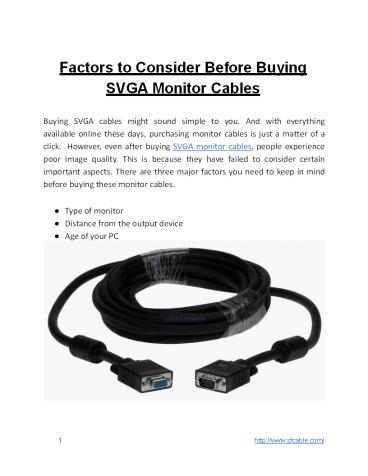
cable, check if the cables have Ferrites on both
ends. You can also find out the manufacturing
details and the guarantee offered on the cables.
In case you if you are going to use the cable to
cover long distance, you can also consider
purchasing a powered signal booster so that there
are no compromises involved with the
performance. 3. Age of your PC One of the
biggest reasons as to why people get disappointed
with the quality of image is because they might
be using the cable from old monitor. As mentioned
above, it also might be an output device that
doesnt support DDC output. If your PC is old,
the only choice you have in order to get better
quality image is to get rid of it. But if your
cable is old, you can definitely replace it with
a new one. It is just that the new cable should
be compatible with the version of your PC. The
above steps will make your SVGA cable shopping
easy and stress free. When in doubt, you can also
seek advice from the manufacturers. Make sure you
choose the right monitor cable.
4
- See More Products Here
- http//www.sfcable.com/
- http//www.sfcable.com/network-ethernet-cables.htm
l - http//www.sfcable.com/usb-cables.html
- http//www.sfcable.com/bulk-network-cable.html
- http//www.sfcable.com/display-port-cable.html
- http//www.sfcable.com/hdmi-cables.html
Recommended

