

Building Mindstorms NXT Robots Dr. David Johnson School of PowerPoint PPT Presentation
1 / 26
Title: Building Mindstorms NXT Robots Dr. David Johnson School of
1
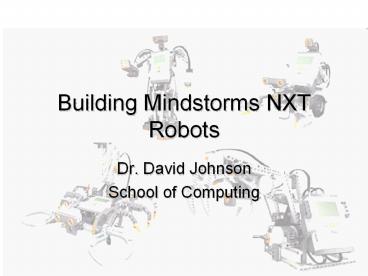
Building Mindstorms NXT Robots
- Dr. David Johnson
- School of Computing
2
What Is a Robot?
3
Resources for Learning About Robots
- Web
- Wikipedia
- http//en.wikipedia.org/wiki/Robot
- New Scientist
- http//www.newscientist.com/article/dn9973-instant
-expert-robots.html - Youtube
- Many!
- MAKE magazine
- Boy Scout badge guide is quite nice and cheap
- Consider exercising your teams FLL skills by
having them look at some of these resources
4
Some Example Robots
- Big Dog
- http//www.youtube.com/watch?vb2bExqhhWRI
- Planetary Exploration
- http//www.youtube.com/watch?vnb2GsD7TAjUfeature
related - Home assistance
- http//www.youtube.com/watch?vGTxW3GWZ5hI
- Hobby
- http//www.youtube.com/watch?vzX09WnGU6ZY
5
What Is a Robot?
- Sense
- Update information about the world
- Plan
- Modify original plan in response to this sensed
information - Act
- Move in the world or make a change in the world
6
Mindstorms NXT
- Can it?
- Sense
- Plan
- Act
7
Mindstorms NXT
- It can
- Sense
- Light intensity and color
- Sound intensity
- Button presses
- Distance to nearby objects
- Wheel revolutions
- Plan
- Act
8
Mindstorms NXT
- It can
- Sense
- Plan
- Small computer brain
- the brick
- Graphical programming language
- Act
9
Mindstorms NXT
- It can
- Sense
- Plan
- Act
- Three motors that turn
10
Goals For Today
- Raise your comfort level with Mindstorms
- Building
- Programming
- There is no substitute for doing it
- Try some common tasks
- Wheeled robot
- Respond to sensors
- Maybe a taste of competition
11
Testing Equipment
- Plug in motors, sensors
- A critical thing to know is the view program
- Let you read values from sensors without writing
a custom program
12
Building
- Not normal LEGO pieces
- Based on the Lego Technic build system
- Pegs and holes
- Can be frustrating
- Stable
- One peg makes a rotary joint
- Multiple pegs lock two pieces in place
- Strong
- Keep in close to the main body
- The wheel axes must not be wobbly and flex!
13
Building Resources
- There are lots of instructions for building
things online - http//www.nxtprograms.com/
- Have the team try some out
- Learn things that work
- Then modify
- Dont get too distracted with NXT guitars, guns,
etc. - 5 minute bot
- A quick base
- Probably not good to adapt for competition
14
Programming
- Programming teaches
- Breaking complex problems into solvable parts
- Precise thinking and specification
- Creative experimentation to discover and isolate
problems - Programs are designed on a base computer
- Downloaded by USB cable to the brick
15
Programming the Brick
- LEGO Mindstorms NXT
- Default language for programming Mindstorms
- Designed to be friendly
- Nice tutorials
- Try them with your team
- Not based on traditional programming languages
- Easy to do very basic things
- More difficult to advance
- It does have some subtle actions that can cause
confusion
16
(No Transcript)
17
(No Transcript)
18
(No Transcript)
19
(No Transcript)
20
(No Transcript)
21
Learning to Use the Tutorial
- Each tutorial is structured as
- Challenge
- Build
- Program
- The mobile base from the tutorials is not my
favorite - Takes too long to build
- Difficult to modify
22
A Quick Programming Tour
- Control goes along the path
- Each block performs some action
- Most blocks are very flexible
- Learn the options at the bottom panel
- Many actions continue until
- A sensor is triggered
- Time has passed
- A commanded result is finished
23
A Quick Test
- Attach a motor to the brick (ports A,B,C)
- Attach a touch sensor to the brick (ports
1,2,3,4) - Write a program
- Move block
- Set duration to unlimited
- Wait until touch
- Move block
- Set the brakes
- Download to brick
- Run it
24
Additional Resources
- There is a lot to learn, but you can get started
pretty quickly - I recommend
- Winning Design! LEGO Mindstorms NXT Design
Patterns for Fun and Competition - Most FLL-centric of the books
- Beginning to medium skill level
- If you dont have prior experience, I think you
would be foolish not to look at this book. - Parts of my FLL camp notes
- More for getting a novice team started
25
Lets have a competition!
- Go through maze
- Stop before unknown finish wall
- How to solve?
- Detect or dead reckoning
- Development cycle
- Build, test, adjust, repeat
- Most kids do not understand how to test and
modify something until it works
26
Teams!
Recommended

