

En la pgina PowerPoint PPT Presentation
1 / 17
Title: En la pgina
1
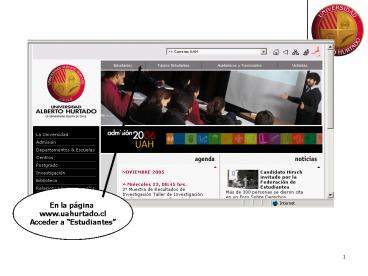
En la página www.uahurtado.cl Acceder a
Estudiantes
2
Presionar el Link Autogestion Estudiantil
3
Ingresar LOGIN Y PASSWORD
4
Actualizar Datos Personales
5
Modificar Dirección Elegir Comuna, País,
etc. Luego Aplicar Cambios
6
PRESIONAR CURSOS
INSCRIBIR CURSOS
7
SELECCIONAR CURSOS LUEGO PRESIONE INSCRIBIR
8
En este ejemplo el alumno tiene evaluaciones
del docente pendientes
9
Sino tiene problemas, puede seleccionar la
Asignatura y el botón INSCRIBIR
10
Fijarse en el mensaje pues podría no procesarse
11
CARGAR CURRICULA
12
Actualizar o Imprimir
13
Documento PDF (certificado de estudios) es
imprimible y almacenable
14
ingreso de nueva clave y confirmar
15
EVALUACION DOCENTE
16
EVALUACION DOCENTE, Elegir Asignatura
17
Elegir Opción y Presionar Siguiente
Recommended

