

Computer Networks PowerPoint PPT Presentation
1 / 14
Title: Computer Networks
1
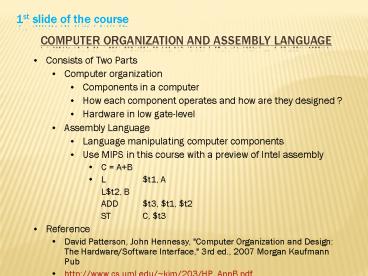
1st slide of the course
Computer Organization and Assembly Language
- Consists of Two Parts
- Computer organization
- Components in a computer
- How each component operates and how are they
designed ? - Hardware in low gate-level
- Assembly Language
- Language manipulating computer components
- Use MIPS in this course with a preview of Intel
assembly - C AB
- L t1, A
- L t2, B
- ADD t3, t1, t2
- ST C, t3
- Reference
- David Patterson, John Hennessy, "Computer
Organization and Design The Hardware/Software
Interface," 3rd ed., 2007 Morgan Kaufmann Pub - http//www.cs.uml.edu/kim/203/HP_AppB.pdf
2
1st slide of the last review
Review
- 1st part -- foundation
- Info representation number systems, ASCII
- Digital logic, data paths
- MIPS instructions
- 2nd part
- CPU control with digital logic
- Modular programming
- Organize into smaller pieces of codes
- Easy extension and maintenance
- Code encapsulation
- 3rd part
- Multi-cycle CPU control
- Linked list and tree structures
3
- CPU
- ALU (Arithmetic Logic Unit)
- Control Unit
- Register File
- MIPS Architecture
4
1-bit ALU
- ADD, AND, and OR
- How to add SUB ?
- a b a (b 1)
- Add Binvert
- NOR Add Ainvert
- (AB) AB
5
32-bit ALU
6
CPU Control
0
1
RegDest Branch MemRead MemToReg ALUGroup MemWrite
ALUSrc RegWrite
Inst31-26
CPU Control
PCSource
ADD
ADD
Shift left 2
Register file
4
Inst25-21
Read register 1
Read data 1
Instruction Address
PC
Inst20-16
Read register 2
Zero
Data memory
Instruction
ALU
0
Write register
Result
Address
Read data 2
1
0
I-memory
3
Read data
1
Inst15-11
Write data
ALU Op
1
0
Write data
Sign extend
32
Inst15-0
16
ALU control
Inst5-0
2
7
Implementation of CPU Control
- From truth tables of CPU control vs. Op-code
8
Multi-cycle Control
9
Multi-cycle Control
- Break up the instructions into steps, each step
takes a cycle - Balance the amount of work to be done
- Restrict each cycle to use only one major
functional unit - Memory
- Register file
- ALU ( controller)
- Control lines MemRead, MemWrite, RegWrite, ALUOp
- Implemented in a FSM
- At the end of a cycle
- Store values for use in later cycles (easiest
thing to do) - Introduce additional internal registers
- Memory Instruction register (IR) and Memory data
register (MDR) - Register file A and B registers
- ALU ALUOut
10
(No Transcript)
11
(No Transcript)
12
Implementation of Control
- Designing the Control
- Keep track of the step in an instruction
- Need to implement the step info, or the state of
the control - FSM implementation
13
Programming
- Instruction Set
- All 32 bits
- Types
- Data movements
- lb (load byte), lui (load upper immediate), lw
(load word) - mfhi (move from high), mflo (move from low),
- sb (store byte), sw (store word)
- ALU
- add (addi, addiu, addu)
- sub (subu), mul (mulu), div (divu)
- and (andi), or (ori), xor (xori)
- sll (shift left logical), sllv (sll variable),
sra (shift right arithematic), srl - Branch
- beq, bgez, bgezal, bgtz, blez, bltz, bltzal, bne
- j, jal, jr
- Others
- slt (set on less than), slti, sltiu, sltu
- Syscall
14
- Data Structures
- Table Search for char types
- Linear vs. binary
- Table Search and Insertion for symbol table
- Finite State Machine for scanner
- Linked list
- Forward reference
- Hash search
- Tree
- Postorder traversal for evaluation of an
expression
Recommended

