

Electronicallyenhanced Classroom Quick Instructions PowerPoint PPT Presentation
1 / 1
Title: Electronicallyenhanced Classroom Quick Instructions
1
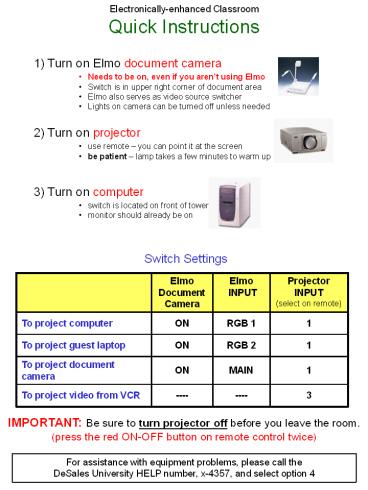
Electronically-enhanced Classroom Quick
Instructions
1) Turn on Elmo document camera
- Needs to be on, even if you arent using Elmo
- Switch is in upper right corner of document area
- Elmo also serves as video source switcher
- Lights on camera can be turned off unless needed
2) Turn on projector
- use remote you can point it at the screen
- be patient lamp takes a few minutes to warm up
3) Turn on computer
- switch is located on front of tower
- monitor should already be on
Switch Settings
IMPORTANT Be sure to turn projector off before
you leave the room. (press the red ON-OFF button
on remote control twice)
For assistance with equipment problems, please
call the DeSales University HELP number, x-4357,
and select option 4
Recommended

