

Webbased Kiosks and ePosters: The Bleeding Edge of Vapor Ware PowerPoint PPT Presentation
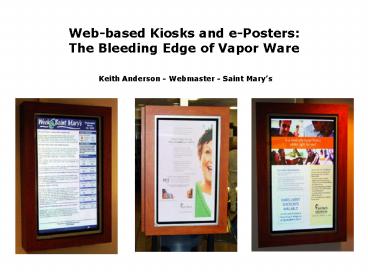
1 / 15
Title: Webbased Kiosks and ePosters: The Bleeding Edge of Vapor Ware
1
Web-based Kiosks and e-Posters The Bleeding
Edge of Vapor Ware
- Keith Anderson - Webmaster - Saint Marys
2
Why this topic?
- Two things unite us as web professionals
- The routine request for us to learn skills and
perform tasks outside our job
description. - The ability and drive to push the envelope.
- This topic is a perfect example of a project that
seems simple in concept yet requires many hats
and a steep learning curve. - Our plasma project was
- 15 Web
- 15 Politics
- 40 Audio/Visual Technology
- 30 Engineering Logistics
3
The Idea!
- In early 2003 Saint Marys wanted to get rid of
its old paper based daily posters and replace
them with electronic displays. - What was the daily poster?
- Layout in In-design
- Employee focused articles on events and
important information - Daily Census numbers
- Cafeteria Menu
- Date
- Weather
- All information pulled from the intranet
4
Old Format vs. New Format
5
That was then
Saint Marys IT infrastructure We are a
Microsoft shop. MACs were not allowed on the
network until 2002. Linux was used on an
experimental basis until 2002 (and then only for
servers). They do support HPUX, AIX, Oracle, SQL
server, and MySQL (as well as visual Foxpro and
Cache).
Plasma TVs DVI support was just beginning to
emerge in 2003. SVG (analog) was supported
somewhat. Most had S-video. Refresh rate and
supported resolution were low.
Graphics Cards Only high-end, full PCI, graphics
cards allowed users to rotate screen view 90
degrees (vertical display).
LCD monitors Flat-panel (LCD) monitors had
entered the mainstream in 2002a 21 monitor ran
between 1,800 and 2,500
6
Design 1
7
What do you mean, there are different types of
DVI?
- DVI-D True Digital (rare) - direct digital
connection between video card and monitor. - DVI-A Digital Analog (obsolete) DVI signal to
analog display - DVI-I Integrated DVI and Analog in one signal
(most common). Can carry both signals but will
crossover neither. (i.e. digital to analog or
analog to digital)
Resource What is DVI? By Mindy Penrod
(http//www.directron.com/dviguide.html)
8
Design 2
9
Converters and Adapters
Or The miracle part that was never in stock
10
Design 3
11
Software and Web stuff
- The goal A series of self-refreshing screens
that would draw data directly from the intranet
and display the latest marketing collateral. - The screens
- The Daily Poster Internal communications
articles, daily quote, census, menu, and weather - The full weeks cafeteria menu
- Calendar Medical staff meetings and network
events for that day. - Marketing ads, collateral, posters, flyers, etc.
- The OS Microsoft windows XP
- The browser Microsoft Internet Exploder 6.0
- The web stuff PHP, MySQL, HTML, and Javascript
12
But why? Oh why?
- Why IE? - No Safari or Firefox.
- Why not Flash? - Action-scripting wasnt where
its at now. Nor was I. - Why not MAC? - Not small enough or enough
graphics capabilities. - Why not a pre-built system? - Hand data
transfer.
13
Code Snippets
The full screen pop-up (IE only) ltscript
language"JavaScript"gt function popUp(URL) day
new Date() id day.getTime() eval("page"
id " window.open(URL, '" id "',
'toolbar0,scrollbars0,location0,statusbar0,men
ubar0,resizable0,fullscreen1,top0,left0')")
lt/scriptgt The Fade (IE only) ltMETA
http-equiv"Page-Enter" content"revealTrans(durat
ion2, Transition12)"gt The Refresh (IE, Safari,
and Firefox) ltmeta http-equiv"refresh"
content"lt?c?gt URLhttp//weekly/lt?url?gt"gt N
ote c is time in seconds and url is the next
page in the sequence
14
The Screens
Menu
Poster
Events
Ad
15
Questions?
Recommended

